Disable WooCommerce Marketing menu
Add the following code to the functions.php of your active theme.
add_filter( 'woocommerce_marketing_menu_items', '__return_empty_array' );
This will remove the following Marketing menu added in WooCommerce 4.0
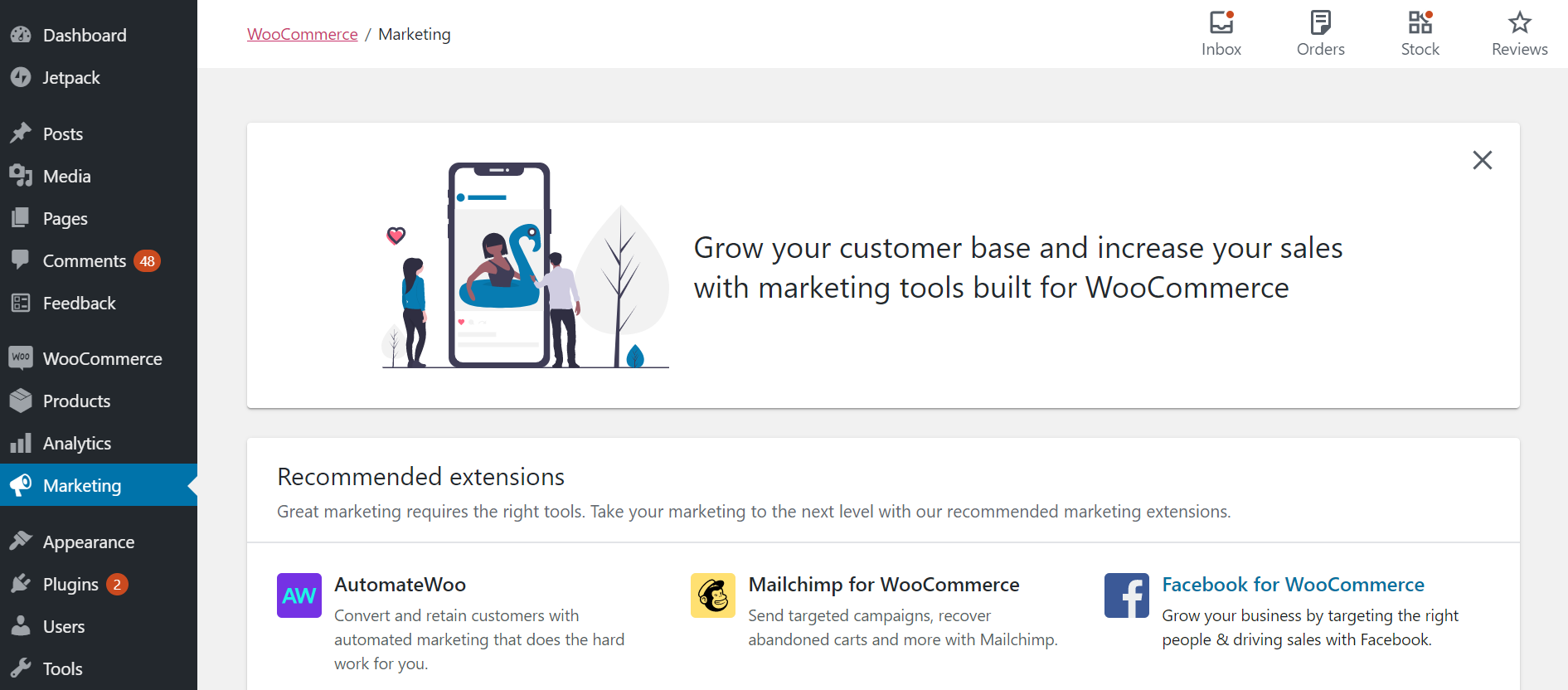

Add the following code to the functions.php of your active theme.
add_filter( 'woocommerce_marketing_menu_items', '__return_empty_array' );
This will remove the following Marketing menu added in WooCommerce 4.0


By OutsourcedContent — on June 29, 2021 WordPress by default will preserve capitalisation in filename for images. To make filenames lowercase automatically, add the following to the functions.php of your active theme. /** * Convert filename to lowercase * * @author Arun Basil Lal * @refer https://codex.wordpress.org/Plugin_API/Filter_Reference/wp_handle_upload_prefilter */ function prefix_convert_filename_to_lowercase( $file ) { $image_extensions =…

By OutsourcedContent — on October 25, 2017 Add this to the functions.php of the active theme. /** * Load Bootstrap CSS and JS from MaxCDN – the right way * * @refer https://millionclues.com/wordpress-tips/load-css-and-js-the-right-way/ */ function mcabl1226_load_css_and_js() { // Load Boostrap CSS wp_enqueue_style( ‘bootstrap-css’, ‘https://maxcdn.bootstrapcdn.com/bootstrap/4.0.0-beta.2/css/bootstrap.min.css’ ); // Load Theme’s style.css wp_enqueue_style( ‘style’, get_stylesheet_uri() ); …

By OutsourcedContent — on April 8, 2012 Since ver. 2.3 you could create custom Taxonomies and custom Post Types came in since ver. 3.0. In simple terms, Taxonomies are classifications and Post Types are well, they are Post Types. For e.g. Pages and Posts are two default post types (there are 5 default post types)…

The WordPress admin footer bar shows the current WordPress version on the right side. But there are times when you want to remove WordPress version from the admin footer or perhaps you want to change it and provide additional link to your website for branding purposes. We are going to demonstrate both of these cases…
When you upload an image to WordPress, it automatically crops uploaded image to a number of extra sizes. By default, WordPress generates three different sizes Thumbnail, Medium Size and Large Size. You can take benefit of these different size auto generated images by using them on different sections of your website. For example you can…

By OutsourcedContent — on August 2, 2021 Useful to see what changes are made in the WordPress database by a plugin, theme or other code. /** * Log database queries to the /wp-content/sql.log file. * * @link https://wordpress.stackexchange.com/a/144353/90061 */ add_filter( ‘query’, function( $query ){ // Filter out everything that shouldn’t be logged. if…
